
Milestone 3: Device Prototyping#
In this milestone, you will adapt your course assignment work to create a collective prototype of your reterminal devices and your Typescript application.
This milestone will start where Milestone 2 and Assignment 1 ended. You will:
Continue the tasks begun in Milestone 2 for project infrastructure
Adapt your Assignment 1 code as a subsystem of your project code
Acquire new devices to test and adapt to your subsystem code
Getting Started#
Milestone 1 & 2 follow-up#
Go over Milestone 2 infrastructure plan with teacher
Go over subsystem plans with teacher and teammates
After these steps, you will acquire the devices you need to begin implementing your prototype.
Device Requirements#
Each subsystem is required to have a minimum “complexity” of 8. See the table below for more information:
Note
The overall “complexity” score, as well as the complexity for each device type below, is not set in stone, is subject to change in the future.
Device Type |
Complexity Score |
Examples |
An Assignment 1 device |
2 |
LED, Temp/Humi sensor, Fan |
Digital Sensor |
3, then 1 |
Magnetic door sensor, |
Analog sensor |
3, then 1 |
Joystick, |
Digital actuator |
3, then 1 |
LED (on/off) |
Analog actuator |
3, then 1 |
LED (PWM dimming) |
Serial (SPI/I2C/UART) |
4 for each unique type, 2 for each repeated type |
GPS, |
USB |
4 for each unique type, 2 for each repeated type |
Raspberry Pi Camera |
Code Requirements#
Overall, your project repository should look like this
app/
├── <code for your App Dev III project work>
reterminal/
├── common/         # Up to your team: you can share common code here (model.py for e.g.)
├── <subsystem1>
├── <subsystem2>
├── <subsystem3>
ReTerminal#
subsystem/
├── controller
│   ├── pyproject.toml
│   ├── README.md
│   └── ...             # The structure of your reTerminal code is up to you
├── dashboard
│   ├── package.json
│   ├── README.md
│   └── ...
The requirements for the reTerminal code are similar to assignment 1, but adapted to your devices:
(30%) Device classes and scripts#
For each of your subsystem devices, you should have a python file that:
defines any
Sensor/Actuatorimplementations you will use in your backendincludes an
if __name__ == "__main__"statement to permit the script to be tested indepdendent of the rest of the project.
This is very similar to the requirements for aht20.py, led.py, etc. in Assignment 1,
but adapted for the devices for your subsystem.
However, there is extra complication here: the task of determining how to make your device work is left up to you.
Some hints:
Find the datasheet for all of your devices (this is a
.pdfthat includes detailed information about the electronic components of your device).Use the course notes:
Let the teacher know if you’re stuck! Message me on Teams or ask in class.
(20%) Reterminal Backend#
Each of your subsystem devices must be included in the reTerminal backend for your subsystem.
adapt your assignemt1 fastapi code to include the sensors and actuators from your subssystem
you should be able to read from each of the sensors, and control each of the actuators, from the
fastapi/docsapi.
This is very similar to the requirements for the backend in Assignment 1, but adapted for the devices for your subsystem.
(20%) Reterminal Dashboard#
Each of your subsystem devices must be included in the reTerminal dashboard for your subsystem.
adapt your assignment1 dashboard code to include the sensors and actuators from your subssystem
you should be able to read from each of the sensors, and control each of the actuators, from the dashboard. The exact UI is up to you.
the dashboard must run and be usuable on your reterminal. Make sure you test this out to ensure the buttons are big enough, etc.
This is very similar to the requirements for the dashboard in Assignment 1, but adapted for the devices for your subsystem.
(30%) Documentation / Milestone 2 Follow-up#
One new requirement for this milestone is to continue your work started in Milestone 2.
One important component of this will be to document your devices for each subsystem.
You should aim to make it be the case that someone else on your team could take over your reTerminal subsystem and be able to run your code/make it work.
Important components of this:
Document the usage of your device scripts
Wiring instructions (where to plug the device in, etc.)
How to run your device scripts, expected results, etc.
Include device datasheets
Google the name and serial number and product information for your devices. You should be able to find
.pdffiles that contain detailed information about the device, its electronic properties, etc. This is called a datasheet, and a link to it should be included for each of the devices you are using.
are easy to find)
Application#
Each subsystem should have at least one page in your App Dev III App
There should be UI for interaction with actuators / viewing sensors for each subsystem
You should for now use mock data/interactions – we will add IoT to connect the App and the Reterminal in Milestone 4
Route Plan#
Adapt the Route Plan instructions from App Dev Assignment 2
UI State Diagram Sketch#
Adapt the UI Sketches instructions from App Dev Assignment 3
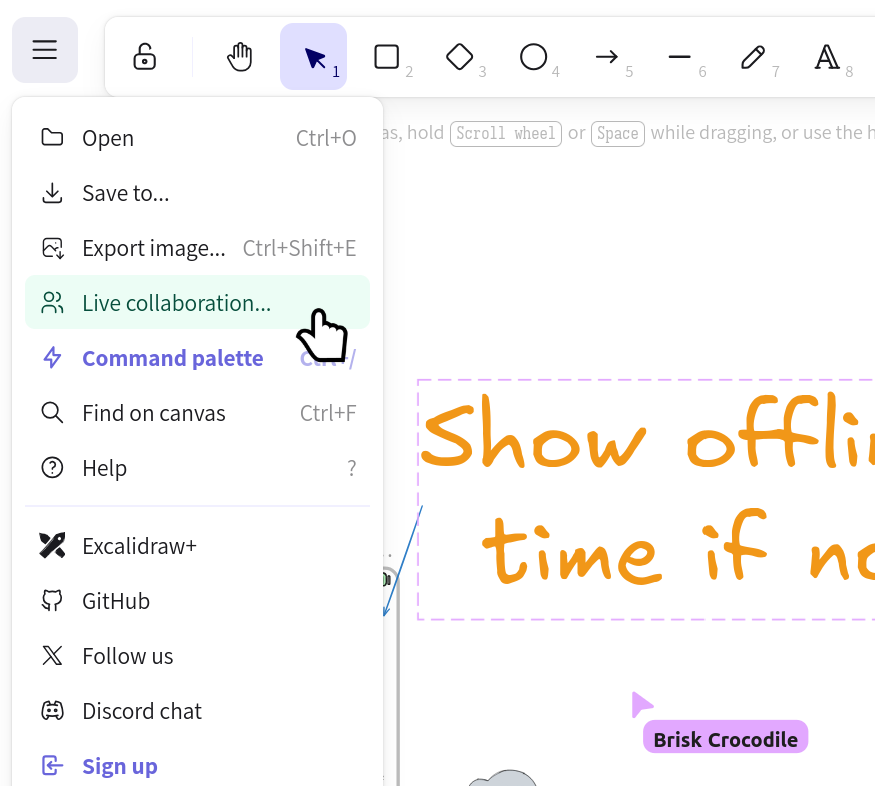
You will find the live collaboration tool on Excalidraw useful.#
Rubric#
On Monday April 27, the following will take place:
In class:
Quick demo of each subsystem (however far each teammember is with incorporating new devices)
Quick demo of project process (documentation, CI/CD, group work, etc.)
After class
For final grading, the code quality of your work will be assessed based on your latest commit by end of day
I will make sure you tell me which branch(es) you are working on if your work will not be merged into your team
mainbranch by the deadline